
Photo-first capture
Start from a meal photo and keep the review screen focused on what the user can confirm.
Meal scanner
Use meal photos as a faster starting point, then review and adjust estimates before they become part of your nutrition history.
Answer first
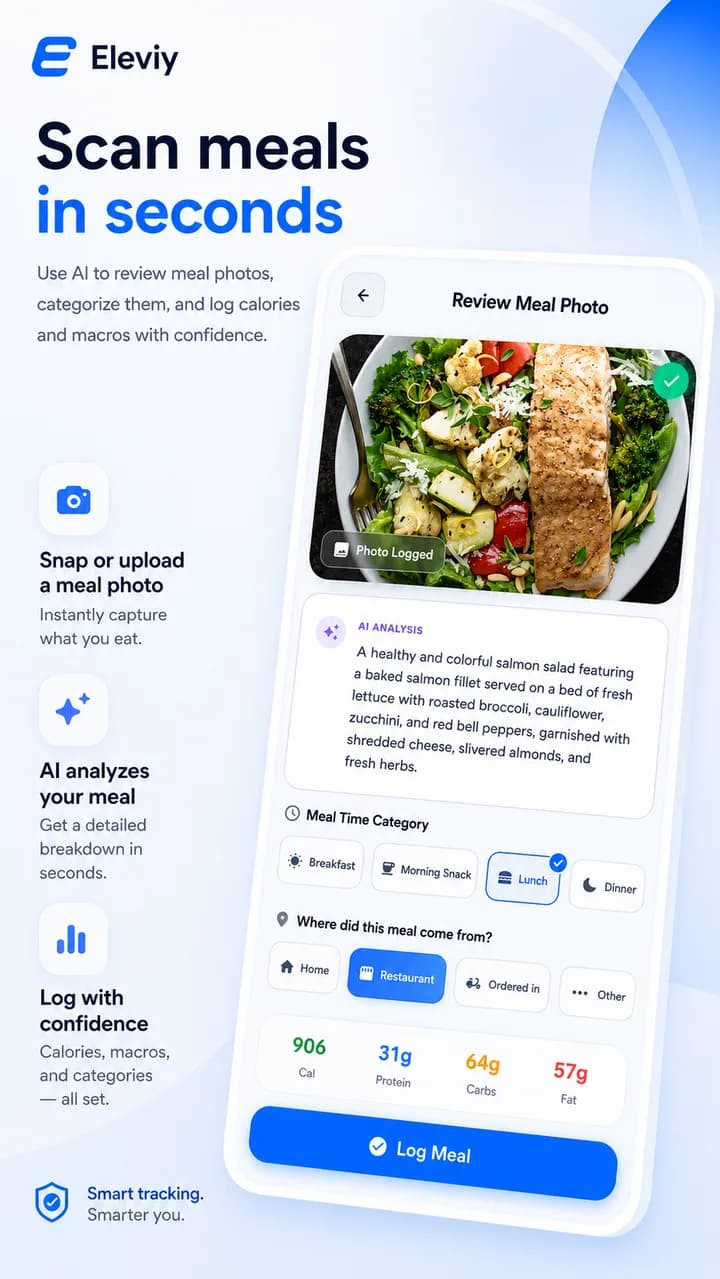
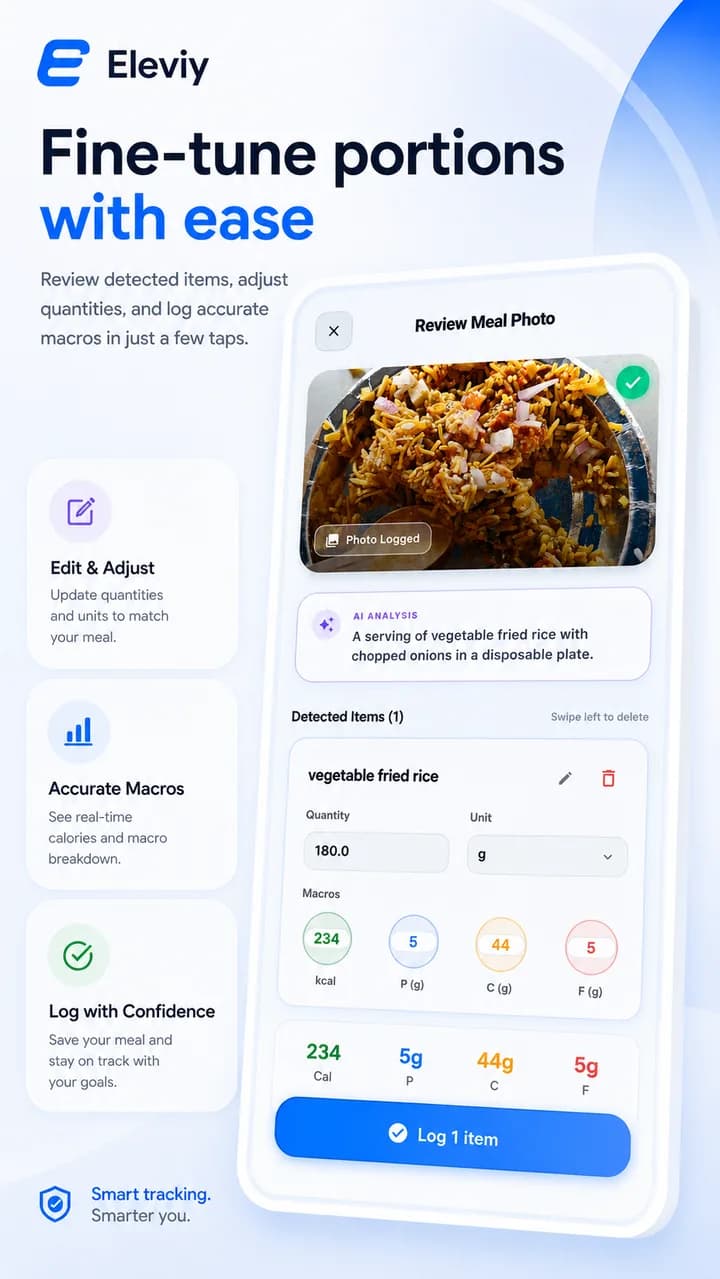
Eleviy can present a meal photo review flow where users inspect estimated foods, portions, calories, and macros before saving the log.
Start from a meal photo and keep the review screen focused on what the user can confirm.
Estimated foods, calories, and macros are presented as reviewable information before saving.
Portion and unit adjustment copy stays visible so the site does not imply automatic perfection.
Workflow
Open the meal flow and capture the food you want to log.
Review the detected item, portion, calories, and macros.
Adjust the portion or unit, then save only when it looks right.
Related paths
Connect meal review with daily calories, macros, hydration, and nutrition habits.
Open nutrition coachSee how app screenshots show meal detail, calories, protein, carbs, and fat.
View all featuresGood to know